
The Desk Reservation App is a PWA app, meaning that is a web browser-based app that will work on phone or computer.
It can be installed on the home screen for iPhone or Android phones in a few quick steps:
Open a web browser and go to: reservations.skillionspaces.com
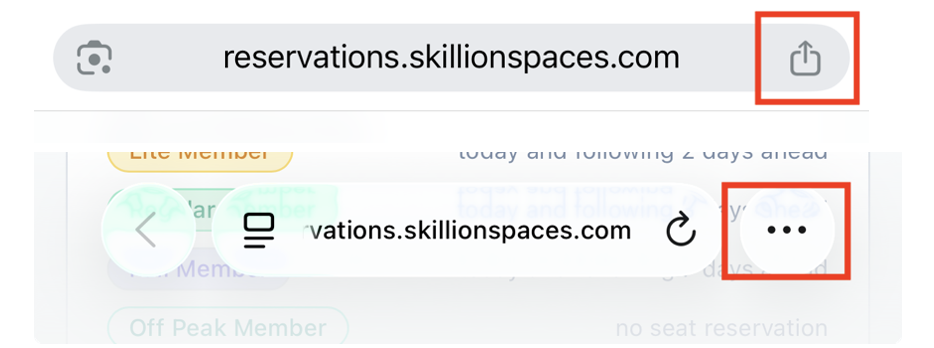
Choose “Add to Home Screen” - If you use Chrome, hit the icon on the right of your URL window (square with an upward arrow). On Safari, hit the three dots on the right of the URL text window. Then choose “Add to Home Screen”.
It should now appear like an app on your phone screen.
See the Chrome (top) and Safari (bottom) icons below. That will provide an option to “Add to Home Screen”.